
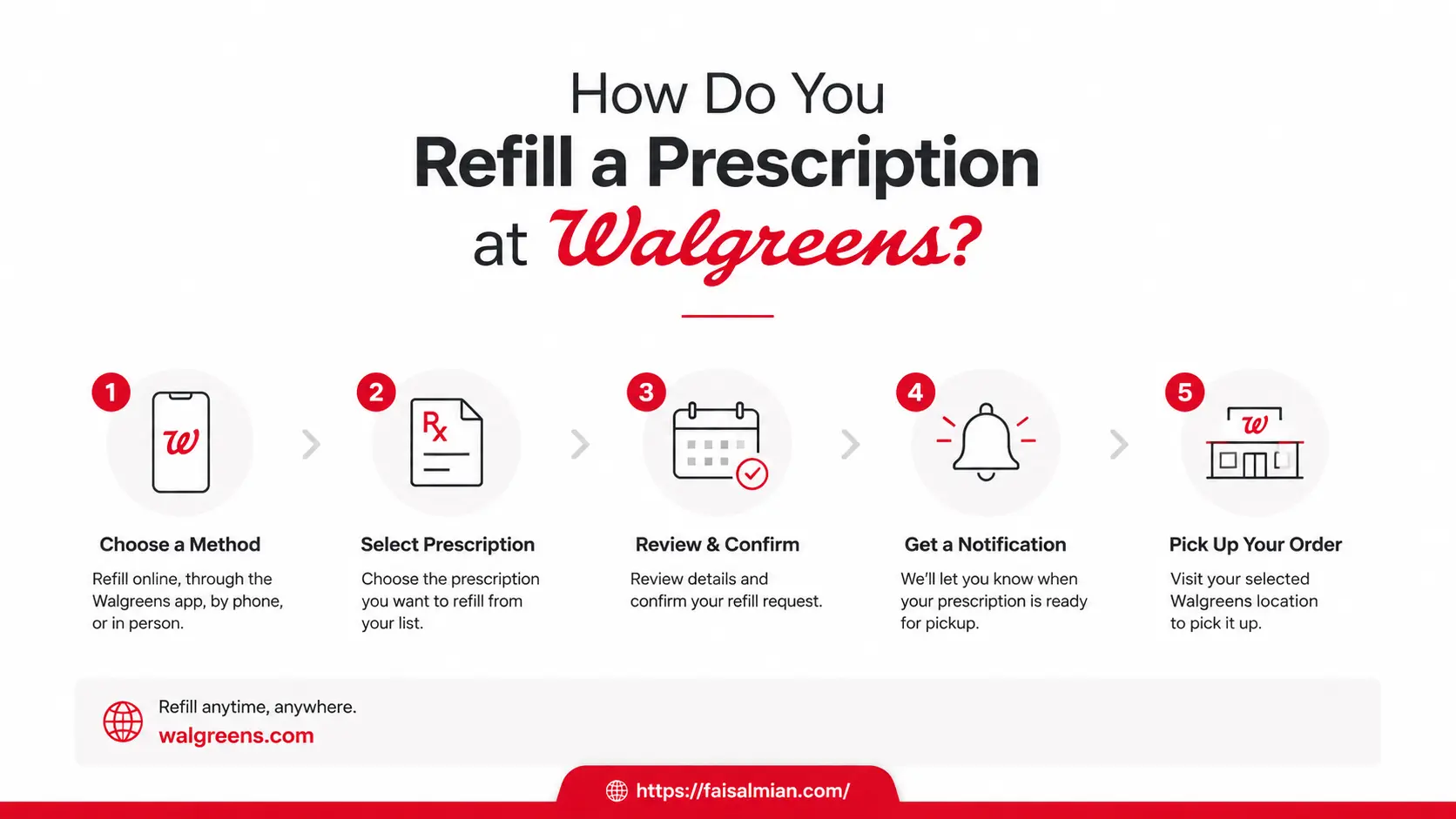
Log in to Walgreens.com, go to Pharmacy > Manage Prescriptions, select your medication, choose pickup or delivery, and submit. Or text JOINRX to 21525 to enable one-reply refills by text message.
Refilling a prescription at Walgreens takes under five minutes once you know the right method. As of May 2026, Walgreens operates approximately 8,000 stores across the United States and Puerto Rico, serving around 9 million customers and patients every day. The company went private in August 2025 after being acquired by Sycamore Partners, and it has been aggressively expanding digital refill options, including app-based refills, same-day delivery, and text-to-refill as the default experience for most patients.
If you are reading this because your local Walgreens recently closed or cut its hours, jump directly to the store closure section below. Walgreens has specific policies to ensure your prescriptions keep refilling without interruption.
What You Need Before Refilling a Walgreens Prescription
Regardless of which method you choose, have these ready:
- Rx number from the label on your prescription bottle (usually a 7-digit number, sometimes starting with a letter)
- Your Walgreens login (email and password), or just the Rx number if using Express Refills without an account
- Insurance card if your coverage has recently changed
- Date of birth for phone and in-store identity verification
For family member prescriptions, have their name and date of birth on hand. Family prescriptions can be managed under a single Walgreens account once linked.
Method 1: Refill Online at Walgreens.com
The website gives you access to every refill option: 90-day supply, all delivery methods, auto-refill management, and prescription history for the last 18 months.
Step 1: Log in or use Express Refills. Go to Walgreens.com and sign in with your email and password. If you have not verified your account yet, you can still use Express Refills by entering just your Rx number in the Express Refills box on the homepage. No full account needed.
Step 2: Go to Pharmacy > Manage Prescriptions Click the Pharmacy tab in the top menu. Select Manage Prescriptions. You will see a full list of your active medications on file at Walgreens, sortable by prescription name, last purchased date, refills remaining, and prescriber.
Step 3: Select your prescription and check 90-day eligibility. Find the medication you need. If it shows "90 Day Eligible" under the Refills column, click Convert to 90 Day to switch to a three-month supply, which may reduce your copay depending on your insurance plan. Click Add to Cart.
Step 4: Choose how to receive your prescription options as of 2026:
- In-store pickup (fastest, usually ready same day)
- Drive-thru pickup (available at most locations)
- Same-day home delivery (for orders placed at least 2 hours before pharmacy close and no later than 7 PM; not available in all areas or for all prescription types)
- 1-2 business day delivery (orders placed by 10 AM Friday; weekend orders arrive Wednesday)
- Mail Service Pharmacy (free delivery of 90-day supply for eligible maintenance medications; call 866-525-1590)
Delivery fees vary. Same-day delivery is free in some areas for eligible orders. Standard delivery from the fulfillment center ships at no added cost for most prescriptions.
Step 5: Review and submit Confirm the medication name, quantity, pickup store or delivery address, and payment. Click Submit. You will receive a confirmation and a follow-up notification when your prescription is ready.
You also like reading these:
Method 2: Refill Using the Walgreens App
The Walgreens app (iOS and Android) supports every feature available on the website plus a barcode scan shortcut. Note: as of early 2026, some Android users have reported login lag and occasional crashes. If the app gives you trouble, Walgreens.com works as a reliable backup.
Step 1: Open the app and tap "Pharmacy." Log in if prompted. Tap the Pharmacy icon at the bottom of the screen, then tap Refill Prescriptions.
Step 2: Scan or search Tap Refill by Scan and aim your camera at the barcode on your prescription bottle. The app reads the Rx number and pulls up the prescription automatically. Or scroll your prescription list and tap the medication you need.
Step 3: Choose supply and delivery method. Select a 30-day or 90-day supply if eligible, your store or delivery preference, and add any family member prescriptions to the same order.
Step 4: Submit and track the tap refill. The app sends a push notification when your prescription is ready. Track status in real time under Order Tracking. The app also gives you access to the 24/7 Pharmacy Chat, where you can message a licensed pharmacist for free at any time without an appointment.
App features worth turning on:
- Auto-refill toggle on each prescription card
- Family prescription tracking under one account
- Pharmacy Chat for 24/7 pharmacist questions
- Push notifications for refill reminders and pickup readiness
Method 3: Refill by Text (Fastest for Repeat Prescriptions)
Text-to-refill is the most underused option and the fastest for people who take the same medications monthly.
Set it up once: Text JOINRX to 21525. Walgreens enrolls you in Rx Text Alerts at no charge. Standard carrier messaging rates apply.
Once enrolled, Walgreens texts you automatically when a prescription is due. Reply REFILL to that text to complete the order. No app, no website, no phone call.
You also receive:
- A text when your prescription is ready for pickup
- A text if your prescription is delayed
- Order confirmations after each refill request
To check your prescription status at any time without enrolling, text RXSTATUS to 21525. This is a one-time status check, not an enrollment.
Spanish-language alerts are available. Walgreens notes that some message types are still English-only while they are updating the system.
Method 4: Refill by Phone
Calling your local Walgreens pharmacy works well when you have medication questions, need to speak with a pharmacist before refilling, or are having trouble with the app or website.
Step 1: Find your pharmacy's direct number. Look on your prescription bottle label, use the Store Locator on Walgreens.com, or search for your local Walgreens. Call the pharmacy line directly, not the general store line.
For pharmacy questions without needing to refill, the free Pharmacy Chat on Walgreens.com and the app connect you with a licensed pharmacist 24 hours a day, 7 days a week.
Step 2: Request the refill Tell the technician you want to refill a prescription. Provide your name, date of birth, and Rx number if you have the bottle handy. They can also look you up by name alone.
Step 3: Confirm and arrange pickup The technician confirms the medication and dosage. Choose in-store or drive-thru pickup. Ask for an estimated ready time. This is also a good moment to ask about switching to a 90-day supply or enrolling in Save a Trip Refills if you take multiple medications.
Method 5: Refill In-Person at a Walgreens Pharmacy Counter
Walking in remains the best option for new prescriptions, insurance questions, or situations where you want to speak with a pharmacist face to face.
What to bring:
- Empty prescription bottle or Rx number
- Insurance card (especially if coverage recently changed)
- Photo ID (required for controlled substances)
What to expect: Go to the prescription drop-off window and tell the technician you need a refill. Provide your name, date of birth, and prescription information. Fill time ranges from about 15 minutes to several hours, depending on pharmacy volume. You can wait in the store or leave and return when notified by text.
With Walgreens cutting hours at some locations in 2026, check your store's current pharmacy hours before making the trip. The Store Locator on Walgreens.com and the app shows real-time hours and closure notices.
What to Do If Your Walgreens Closed or Is Closing
This is new territory for millions of Walgreens patients in 2026. About 500 Walgreens locations closed during fiscal 2025, and the company has said it expects to close fewer than 100 additional stores in 2026. If your pharmacy is among them, here is exactly what Walgreens does:
Automatic prescription transfer: Your prescriptions are automatically moved to the nearest available Walgreens location. You do not have to do anything for this to happen.
Auto Refill continuity: If you are on Auto Refill, your prescriptions will continue to be filled at the nearest Walgreens pharmacy automatically. You can update the pickup location at any time through Manage Auto Refills on Walgreens.com or the app.
Save-a-Trip Refills: Call the Walgreens location you want to transfer your pickups to and ask them to update your Save-a-Trip Refills enrollment.
Free delivery for affected patients: Patients whose stores close are eligible for free prescription delivery for 90 days after the closure. Select delivery at checkout when refilling online or in the app.
If you have a filled prescription waiting at a closed store: Call or visit any nearby Walgreens pharmacy and ask them to process a refill. You can also submit through the app or website and select your new store.
Delivery from fulfillment center: If no nearby Walgreens is convenient, Walgreens can deliver within a 20-mile radius from most pharmacies starting at $3.99. The mail fulfillment center ships at no extra cost.
To find the nearest open Walgreens, use the Store Locator on Walgreens.com. The locator is updated with current hours and temporary closures.
90-Day Supply: Three Months in One Refill
For daily maintenance medications such as blood pressure drugs, cholesterol treatments, or thyroid medication, switching to a 90-day supply reduces pharmacy trips and may lower your out-of-pocket costs.
How to switch:
- Online: Look for "90 Day Eligible" on the Manage Prescriptions page. Click "Convert to 90 Day" during checkout.
- App: The same option appears when adding a qualifying prescription to your cart.
- In-store: Ask the pharmacist to switch your prescription to 90-day fills.
- Mail Service Pharmacy: Call 866-525-1590. Mail service provides free delivery for 90-day supplies of eligible maintenance medications. Auto-refill is available through mail service as well.
Most maintenance medications qualify. Controlled substances and one-time prescriptions do not. Your insurance plan determines whether you see a copay reduction.
Save a Trip Refills: One Pickup for All Your Medications
Save a Trip Refills is a free Walgreens program that aligns multiple prescriptions and even family members' medications so they are all ready on the same date each month or every three months.
To enroll: Call 833-SAVE-TRIP (833-728-3874) or ask your pharmacist in-store. One-time medications and controlled substances are not eligible. If your store closes, Save a Trip refills automatically transfer to the nearest location unless you update it yourself.
Auto Refill: Set It and Forget It
Auto Refill processes your prescription automatically when it is due. Walgreens notifies you when it is ready for pickup. If your prescription runs out of refills while on auto-refill, Walgreens contacts your prescriber to request a renewal.
How to set it up:
- Online: Prescription Settings > Auto Refill > toggle on for each eligible medication
- App: Tap the prescription card > turn on auto-refill
- In-store: Ask the pharmacist
Early Refill Policy in 2026: What You Need to Know
Non-controlled maintenance medications: Most insurance plans allow a refill once roughly 75% of your current supply is used, approximately 7 to 10 days before you run out. A "refill too soon" message means your insurance has not yet approved the refill based on your calculated day's supply. Wait until closer to your run-out date, or ask your pharmacist about an override for travel or special circumstances.
Controlled substances: Refill rules are set by state law and DEA regulations. Schedule II drugs (such as certain opioids and stimulants like Adderall) generally cannot be refilled before the due date under any circumstances. For Schedule III through V substances, some states allow a 1 to 2 day early window at the pharmacist's discretion. A consistent pattern of early fill requests is flagged in pharmacy monitoring systems.
Vacation override: If you are traveling and need your medication before the due date, ask your pharmacist for a vacation override. They contact your insurance company to request an exception. Make this request 1 to 2 weeks before departure. Provide your travel dates and destination. Vacation overrides for controlled substances require additional documentation from your prescriber.
Emergency refills: For non-controlled maintenance medications, a pharmacist may provide a limited 72-hour emergency supply if your prescriber cannot be reached and you are at risk of running out. Insurance may not cover emergency supplies, so be prepared to pay out of pocket. For Schedule II controlled substances, emergency refills are generally not permitted. Contact your local Walgreens pharmacy directly or use the 24/7 pharmacy chat.
2026 Prescription Cost Changes You Should Know About
Two significant changes in 2026 affect what patients pay at the pharmacy counter:
Medicare $2,000 annual out-of-pocket cap: Under 2026 Medicare Part D rules, there is now a $2,000 annual cap on out-of-pocket prescription costs. Once you hit that limit, all covered prescriptions for the rest of the calendar year cost $0. If you are on Medicare, ask your Walgreens pharmacist to check your year-to-date out-of-pocket spending before paying for a refill, especially later in the year.
Medicare Prescription Payment Plan (MPPP): Also known as the "smoothing" program, the MPPP lets Medicare patients spread their prescription costs in equal monthly payments across the year rather than paying high amounts in one hit (such as during the deductible phase). Walgreens participates in this program. Ask your pharmacist or your insurance provider about enrolling.
PBM preferred network enforcement: In 2026, pharmacy benefit managers are more aggressively enforcing preferred network rules. If you take a long-term maintenance medication, your insurance may eventually require you to use a specific pharmacy chain or mail-order service, or you will pay higher out-of-network rates. Walgreens is a preferred pharmacy for many major plans, but confirm this with your insurer at each benefit year renewal.
You also like reading this: Does Walgreens accept WIC for prescriptions?
And does Walgreens accept Venmo?
Rx Savings Finder: How to Lower Your Walgreens Prescription Cost
Walgreens offers the Rx Savings Finder, powered by RxSense, which searches for third-party prescription discount cards accepted at Walgreens. This is useful when you are uninsured, your insurance does not cover a specific medication, or your copay is higher than the cash price.
Go to the Rx Savings Finder on Walgreens.com, enter your medication name and ZIP code, and compare discount card prices. The tool generates a free coupon. Present it at the pharmacy counter.
Important: Prescription discount cards cannot be combined with insurance on the same transaction. Medicaid patients should speak with the pharmacist before using any discount card, as Medicaid program rules for cash transactions are handled separately.
myWalgreens Rewards and Prescriptions
myWalgreens members earn 1% Walgreens Cash rewards on out-of-pocket prescription spending. This applies to copays and out-of-pocket medication costs, but not to prescriptions covered 100% by insurance ($0 copay = no rewards earned). Rewards on pharmacy purchases are not available in Arkansas, New Jersey, or New York.
You earn 5% Walgreens Cash rewards on all Walgreens-branded products and 1% storewide on other qualifying purchases.
Join for free at myWalgreens.com, in the Walgreens app, or in-store at checkout. The myWalgreens Credit Card earns 3% Cash rewards on health and wellness purchases outside Walgreens, including doctor and dentist copays, gym memberships, and pharmacy purchases at non-Walgreens locations.
Troubleshooting Common Walgreens Refill Problems in 2026
"Refill too soon" message: Your insurance has not approved the refill based on your calculated day supply. Wait until you are closer to running out. For travel or urgent situations, ask your pharmacist about a vacation or emergency override.
App login issues or crashes: This has been a reported issue in 2026, particularly on Android. Clear the app cache, check for pending updates, or switch to Walgreens.com in a browser. The website and app are separate systems; if one fails, the other usually works.
Prescription not showing in your account: Call Walgreens Customer Service at 1-877-250-5823 and ask to have your pharmacy accounts merged. Prescriptions filled at different Walgreens locations sometimes sit under separate account records.
Insurance rejected the refill: Ask your pharmacist why the claim was denied. Common reasons: refill too soon, prior authorization required, formulary tier change, or your pharmacy is now out of network. Your pharmacist can submit an override request or help you understand the next step.
No refills remaining: Contact your prescribing doctor for a new prescription. If you are on auto-refill, Walgreens contacts the prescriber automatically. For manual refills, either you or the Walgreens pharmacy can call the prescriber's office.
Your local Walgreens has closed. Your prescriptions have already been transferred to the nearest open location. See the store closure section above for full details on what to do next.

Conclusion
Refilling a prescription at Walgreens in 2026 is more flexible than ever, but the landscape has changed enough that knowing your options matters more than it used to. With around 8,000 stores still operating across the US, Walgreens serves roughly 9 million patients every day through a mix of in-store, drive-thru, app, text, phone, and home delivery channels.
If your nearest location recently closed, your prescriptions transfer automatically, and you qualify for free delivery for 90 days. If you are still picking up in person, switching to a 90-day supply or enrolling in Save a Trip Refills can cut your pharmacy trips down significantly. And if you are on Medicare, the new $2,000 annual out-of-pocket cap introduced in 2026 could mean your prescriptions cost nothing at all once you hit that threshold later in the year.
The fastest setup most patients never use: text JOINRX to 21525 once, and from that point forward, you refill by replying to a text. No app, no website, no hold music.
Whatever method works best for your routine, Walgreens has built enough flexibility into its system that running out of medication does not have to happen. The tools are there. Now you know how to use them.
FAQs
How soon can I refill a prescription at Walgreens?
For most non-controlled maintenance medications, when about 75% of your supply is used, it's roughly 7 to 10 days before you run out. Controlled substances follow stricter rules set by state law, typically within 1 to 2 days of the due date at most.
Can I refill a Walgreens prescription without an account?
Yes. Use Express Refills on Walgreens.com. Enter your Rx number to submit without creating a full account.
My Walgreens closed. What happens to my prescriptions?
They are automatically transferred to the nearest open Walgreens location. If you are on auto-refill, those continue without interruption. Affected patients get free prescription delivery for 90 days. Update your preferred store online or in the app.
How do I set up auto-refill at Walgreens?
Go to Prescription Settings in your Walgreens account and toggle Auto-Refill on for each eligible medication. Or ask your pharmacist in-store to enroll you.
Does Walgreens do prescription refills by text?
Yes. Text JOINRX to 21525 to enroll in Rx text alerts. Walgreens texts you when a refill is due, and you reply REFILL to complete the order.
What is Save a Trip Refills?
A free program that syncs multiple prescriptions, including family members' medications, to a single pickup or delivery date. Call 833-SAVE-TRIP (833-728-3874) or ask your pharmacist to enroll.
Can I get a 90-day supply at Walgreens?
Yes, for eligible maintenance medications. Look for "90 Day Eligible" on the Manage Prescriptions page. Available online, in the app, in-store, and through the Mail Service Pharmacy (free delivery).
Does Walgreens offer emergency prescription refills?
For non-controlled maintenance medications, yes, a pharmacist may provide a 72-hour emergency supply. Schedule II controlled substances are generally excluded. Use the 24/7 Pharmacy Chat on the Walgreens app or website to reach a pharmacist immediately.
What is the new $2,000 cap on prescription costs?
Under 2026 Medicare Part D rules, once your annual out-of-pocket prescription spending reaches $2,000, all covered prescriptions for the rest of the year cost $0. Ask your Walgreens pharmacist about your current year-to-date total.
