

Walgreens holds your printed photo order for 72 hours after sending the "Order Is Ready for Pickup" notification. If you do not collect the order within that window, it is automatically cancelled and your card is not charged.
That is the short answer. But depending on whether you are asking about printed order pickup, digital photo storage in your account, or film development, the timeline is different. I have covered all three below, with everything verified against Walgreens' own policy pages as of 2026.
Walgreens Photo Hold Times at a Glance
| Scenario | How Long Walgreens Holds It |
| Printed photo order (in-store pickup) | 72 hours from "Ready for Pickup" notification |
| Same-day photo order (pickup) | 72 hours from "Ready for Pickup" notification |
| Film / disposable camera development | Approx. 6 months (varies by store) |
| Digital photos in your online account | Indefinitely (purchase required every 18 months to keep fast access) |
| Express Local Delivery order | Delivered within 3 days, no pickup required |
| Ship-to-store order | 7 to 10 days processing, then standard 72-hour pickup window |
The 72-Hour Rule: Everything You Need to Know
When your Walgreens photo order is ready, Walgreens sends a notification to your email and, if you have opted in, to your phone by text. That notification is the starting gun for the 72-hour window.
A few things worth knowing before you panic:
You get two reminders. Walgreens sends reminder alerts before the cancellation kicks in. You will not miss the window because of one forgotten email.
You are not charged if the order is cancelled. Walgreens places a temporary hold on your payment method when you place the order, but the actual charge only goes through at the moment of pickup. If the 72 hours pass and the order is cancelled, the hold is released, and you owe nothing. Walgreens accepts multiple payment methods, and this no-charge-until-pickup policy applies across all of them.
Someone else can collect the order for you. When placing your order, there is an option to add an alternate pickup person. This is one of the most underused features on the platform. If you know you will be busy, add your partner, family member, or coworker before you complete checkout, not after.
You can cancel early if plans change. If you know you cannot make it, you can cancel your Walgreens photo order by calling the store directly. You can also let the 72-hour window expire, and the cancellation happens automatically with no penalty.
How to Pick Up Your Walgreens Photo Order
Once you get the "Order Is Ready for Pickup" notification, you have three ways to collect it.
In-store pickup at the photo counter. Available during regular store hours. Just show the notification email or text to the team member at the counter.
Curbside pickup. Available 9am to 9pm at participating locations. Tap "I'm here" in your notification link, enter your vehicle details, and someone will bring the order out to you. Walgreens curbside pickup works for most photo products, with the exception of items that require age verification, which must be collected inside. If you do not see the curbside option after arriving, the service window may have closed for the day.
Drive-thru pickup. Available during pharmacy hours at stores with a drive-thru. Note that larger photo products like posters will not fit through the drive-thru window. If your order includes oversized items, Walgreens will direct you to curbside or in-store pickup instead.
What Happens If You Miss the 72-Hour Window?
Your order is cancelled. That is it, no fees, no penalties, and no complicated process.
After cancellation, your digital photos stay in your Walgreens account exactly as you uploaded them. You can go back and re-order at any time. Think of it as a free redo with a couple of extra clicks.
If you realize you are about to miss the window while time still remains, the fastest move is to call the store directly and ask if they can hold the order a little longer. This is not a guaranteed option, but stores will often accommodate the request if the order has not already been processed for return. It costs nothing to ask.
Need to cancel before the window expires instead? Read the full walkthrough on how to cancel a Walgreens order for both photo and general retail orders.
Same-Day Photo Pickup: The Cutoff You Need to Know
Walgreens offers same-day pickup on a wide range of photo products. Orders need to be placed by 5pm local time for same-day service. If you order after that cutoff, your order will be ready the next business day.
One more rule worth knowing: if your store is not open 24 hours, your order must be placed at least one hour before closing to qualify for same-day pickup that day.
Products available for same-day pickup at most locations include standard prints in all sizes, photo enlargements and collage prints, posters and banners, canvas prints and wall decor, photo books in select sizes, calendars, magnets, photo ornaments and puzzles, and cards and stationery.
Availability varies by store. The Walgreens Photo site will tell you which products qualify at your specific location before you place the order.

Express Local Delivery: The New Option Most People Do Not Know About
This is a 2025 addition to Walgreens Photo that most competing guides have completely missed.
If you do not want to go to the store at all, Walgreens now offers Express Local Delivery for a flat fee of $5.99, regardless of how many products you order (as long as they go to the same address). Your order is ready within 3 days: 1 day for store processing and 2 to 3 days for local delivery.
This option is available for most same-day pickup products, so it covers the broad catalog of prints, canvas, gifts, and other items. A few things to know:
- Orders can be cancelled within 2 hours of placement.
- PO Boxes are not eligible. You need a physical delivery address.
- If the order is undeliverable, you get an automatic refund and a cancellation notification.
- For issues with a delivered order, contact Walgreens Photo customer service at 1-866-264-2910, available 24/7.
This is genuinely useful if you ordered something and realized midday that you will not be able to get to the store within the 72-hour pickup window.
All Your Walgreens Photo Delivery Options, Side by Side
| Delivery Method | Ready In | Cost | Notes |
| Same Day Pickup (in-store) | About 1 hour | Free | Order by 5pm local time |
| Curbside Pickup | About 1 hour | Free | 9am to 9pm |
| Drive-Thru Pickup | About 1 hour | Free | During pharmacy hours; large items excluded |
| Express Local Delivery | Within 3 days | $5.99 flat | Most same-day products eligible; no PO Boxes |
| Ship to Store | 7 to 10 days | Free | Available for all photo products |
| Standard Home Shipping | 7 to 10 days | Varies | Available for all photo products |
Film and Disposable Camera Development: A Different Timeline
If you dropped off physical film or a disposable camera, the hold window works differently from digital print orders.
Walgreens typically holds developed film for around 6 months, though this varies by location. Most stores will try to contact you before the film is disposed of. If you dropped off film several months ago and have not heard back, call the store before assuming it is still waiting for you.
On the topic of older physical media, it is worth knowing that Walgreens also scans photos and slides, which is useful if you have old prints or negatives you want to convert to digital. And if you have slides specifically, Walgreens can make prints from slides as well, both are services many people do not realize are available.
How Long Walgreens Stores Your Digital Photos Online
This is the section where a lot of outdated articles get things wrong, so let me be precise about what the current policy actually says.
If your account is active, Walgreens stores your photos with full access as long as you make at least one purchase from your Walgreens Photo account every 18 months. Any purchase qualifies: a single 4x6 print, a card, a calendar, anything.
If your account goes inactive (over 18 months without a purchase): Your photos may be moved to a slower-access server. This means it takes longer to load, view, edit, and order from them. But here is the critical part: Walgreens' March 2025 policy update states clearly that your images will never be removed from your account. They do not delete your photos. They just archive them to a server that takes longer to retrieve from.
Earlier versions of this article stated that Walgreens permanently deletes photos after 12 months. That information was wrong on two counts; the correct threshold is 18 months, and deletion does not happen. If you have seen that claim elsewhere, it is outdated.
To stay active, the simplest approach is to set a calendar reminder once a year to print a batch of photos. It keeps your account active and your photos fast to access, and you get physical prints out of the deal.
How to Delete Photos From Your Walgreens Account
You have full control over what stays in your account.
To delete specific photos: Log into your Walgreens account, navigate to the Photo section, select the images you want to remove, and click Delete. A confirmation prompt appears before anything is permanently removed.
To remove all photos from Walgreens' servers: Go to the Photo section, open Settings, choose "Delete All Photos," and confirm. This removes everything permanently and cannot be undone.
If you want to go further and close your account entirely, there is a full guide on how to permanently delete your Walgreens account that walks through the complete process.
Deleting photos from your account does not affect any orders you have already placed or received. Your order history stays intact.
5 Pro Tips to Never Lose a Walgreens Photo Order
These are the things that experienced Walgreens Photo users know that first-timers often learn the hard way.
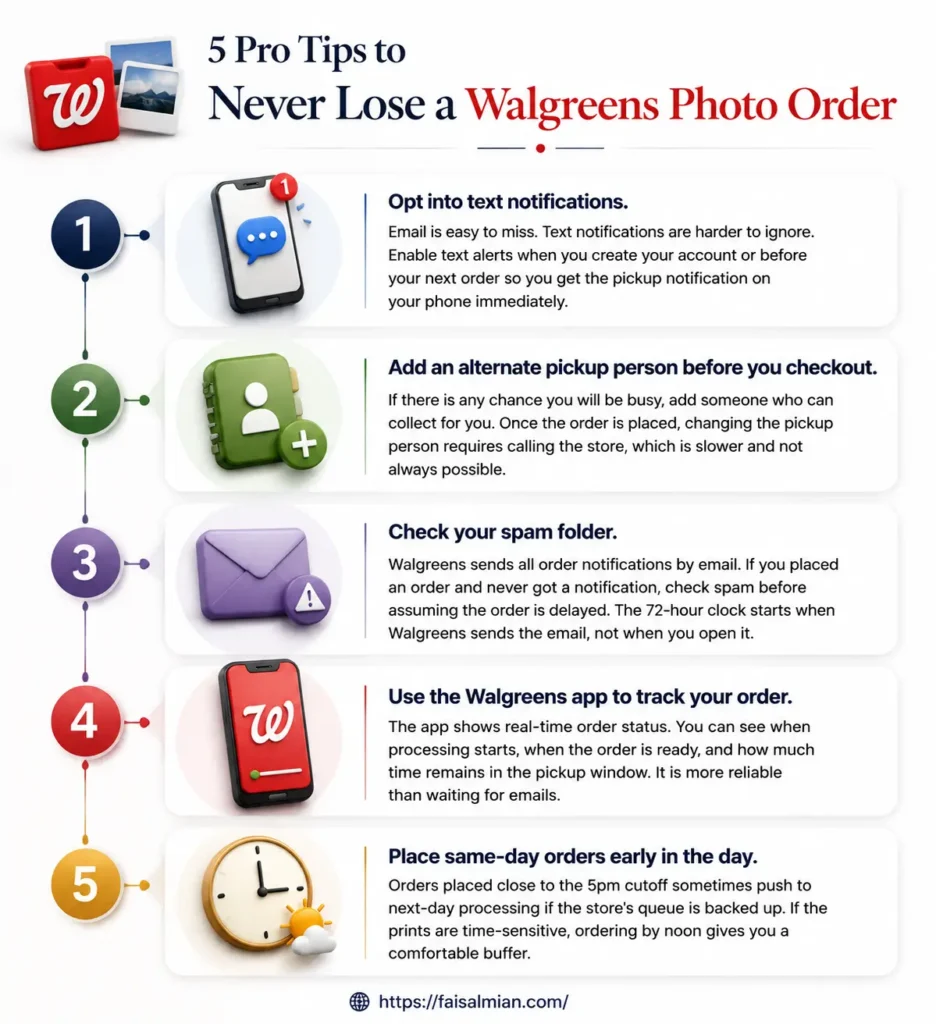
1. Opt into text notifications. Email is easy to miss. Text notifications are harder to ignore. Enable text alerts when you create your account or before your next order so you get the pickup notification on your phone immediately.
2. Add an alternate pickup person before you checkout. If there is any chance you will be busy, add someone who can collect for you. Once the order is placed, changing the pickup person requires calling the store, which is slower and not always possible.
3. Check your spam folder. Walgreens sends all order notifications by email. If you placed an order and never got a notification, check spam before assuming the order is delayed. The 72-hour clock starts when Walgreens sends the email, not when you open it.
4. Use the Walgreens app to track your order. The app shows real-time order status. You can see when processing starts, when the order is ready, and how much time remains in the pickup window. It is more reliable than waiting for emails.
5. Place same-day orders early in the day. Orders placed close to the 5pm cutoff sometimes push to next-day processing if the store's queue is backed up. If the prints are time-sensitive, ordering by noon gives you a comfortable buffer.
Walgreens Photo vs. Other Places to Store and Print Photos
If you want your photos somewhere other than Walgreens for backup or printing, here is a realistic comparison:
Google Photos gives you 15GB of free storage for originals and free storage for compressed photos. You can use it to back up your images and then order prints directly through Google Photos or connect to services like Walmart Photo.
Amazon Photos offers unlimited full-resolution photo storage for Prime subscribers and 5GB free for everyone else. It is a strong backup option, but the print quality through third-party fulfillment varies.
iCloud Photos integrates tightly with Apple devices and syncs across iPhone, iPad, and Mac automatically. Storage starts at 5GB free with paid tiers at 50GB, 200GB, and 2TB per month. Best for Apple-only households.
None of these replaces Walgreens for same-day physical prints, but having a backup ensures you are never at risk of losing originals if your Walgreens account goes inactive.
Final Verdict
If you walked away with just one thing, make it this: the 72-hour window is firm; it starts the moment Walgreens sends that notification, and your money is safe the entire time. No charge happens until you collect the order in person.
Beyond the basic pickup window, Walgreens Photo has quietly become a genuinely flexible service. Same-day pickup for most products, a $5.99 Express Local Delivery option that most people do not know exists, and a digital storage policy that now explicitly guarantees your photos will never be deleted—these are meaningful improvements over what most people assume Walgreens Photo is.
The one thing to stay on top of is account activity. Make one purchase every 18 months, and your digital library stays fast and fully accessible. Ignore the account for longer, and your photos move to slower storage, not deleted, but frustrating to work with. One annual order of prints is all it takes to avoid that.
If you use Walgreens Photo regularly, the move is to turn on text notifications, know your same-day cutoff time, and keep your account ticking with at least one order per year. Do those three things and you will never lose an order or scramble to recover archived photos.
You also like reading these:
FAQs
How long does Walgreens hold photo orders?
Walgreens holds photo orders for 72 hours from the time the "Order Is Ready for Pickup" notification is sent. You receive two reminder notifications before the window closes. If the order is not picked up within 72 hours, it is automatically cancelled, and your card is not charged.
What happens if I miss the Walgreens photo pickup window?
The order is cancelled, and you are not charged. Your photos remain in your Walgreens account, and you can reorder at any time without re-uploading anything.
Can I extend the Walgreens photo pickup window?
There is no official extension policy. However, calling the store directly before the 72 hours expire sometimes results in the team holding the order a bit longer, depending on the store and how much time remains. It is worth asking.
How long does Walgreens store my photos online?
Walgreens stores your digital photos as long as you make at least one purchase every 18 months. If your account goes inactive, photos are moved to a slower server but are never deleted. Per Walgreens' March 2025 policy update, your images will never be removed from your account.
Can someone else pick up my Walgreens photo order?
Yes. You can add an alternate pickup person when placing your order. They will need to show the "Order Is Ready for Pickup" notification to collect the order at the photo counter.
What are the Walgreens photo pickup hours?
Curbside pickup is available from 9am to 9pm. Drive-thru pickup is available during pharmacy hours. In-store pickup at the photo counter is available during regular store hours.
Does Walgreens offer same-day photo pickup?
Yes. Walgreens offers same-day pickup for prints, canvas prints, posters, calendars, cards, magnets, photo books (select sizes), puzzles, ornaments, and more. Orders must be placed by 5pm local time for same-day service. Availability varies by store.
How long does Walgreens hold developed film?
Walgreens typically holds developed film for around six months before disposal, though this varies by store. Most stores will attempt to contact you before the film is disposed of.
Can I cancel my Walgreens photo order?
Yes. Call the store directly to cancel. For express local delivery or shipping orders, you have a 2-hour cancellation window on the Walgreens Photo website after placing the order. Letting the 72-hour pickup window expire also results in automatic cancellation with no charge.
What is Walgreens Express Local Delivery?
Express Local Delivery is a service where Walgreens delivers your photo order to your home within 3 days for a flat $5.99 fee, regardless of the number of items. It is available for most same-day pickup products and is a useful option when you cannot get to the store. PO Boxes are not eligible.
How do I track my Walgreens photo order?
Open the Walgreens app or log into your Walgreens account online and go to "My Orders." Order status updates in real time. You will also receive email and text notifications when the order is ready and if there are any issues.
How long does it take to print photos at Walgreens?
Standard prints are typically ready in about one hour. Same-day specialty products like canvas prints, photo books, and larger items may take a few hours. Order status notifications will tell you when your specific order is complete.
All policy details sourced from Walgreens Store Pickup help page, Walgreens Photo help center, and Walgreens Photo fulfillment options page. Verified and updated May 2026.
